The feature that allows you to tag videos by entering comments first is called "Script First" and can be accessed from the video player sidebar.
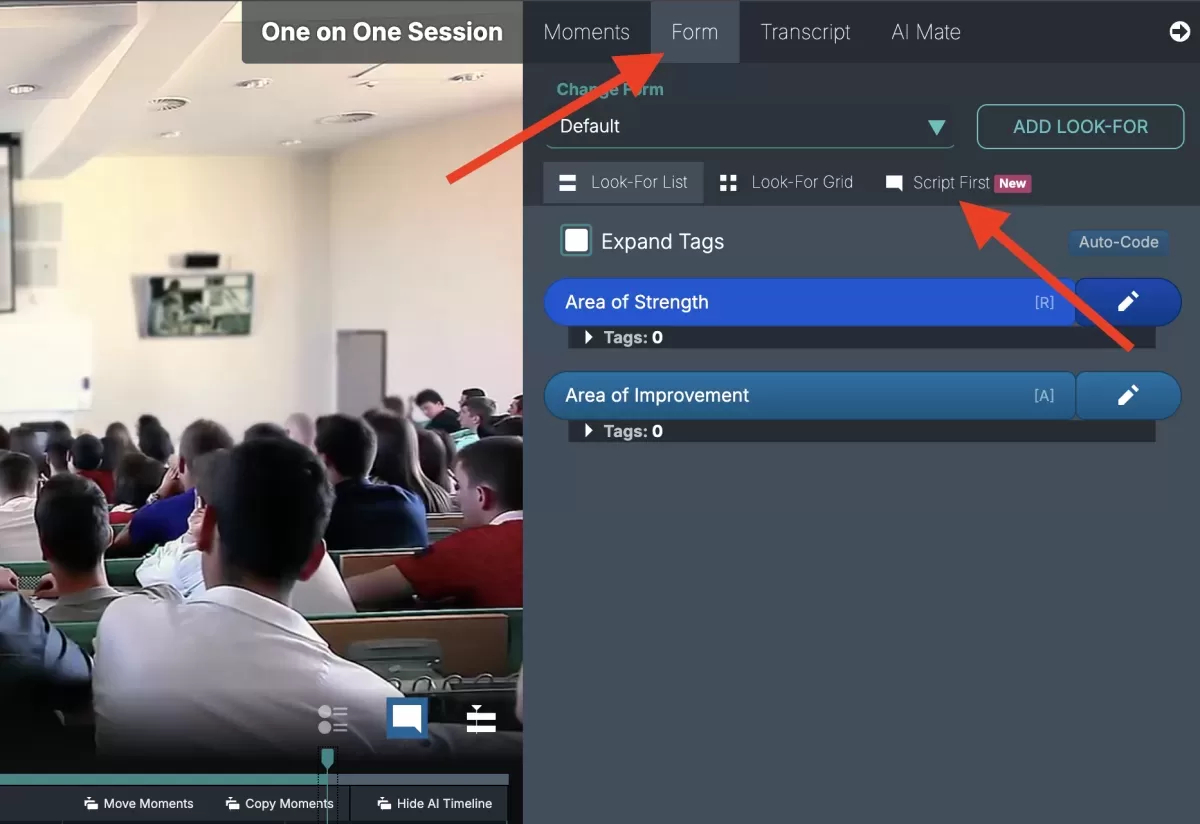
Click the Form tab
Click the Script First tab
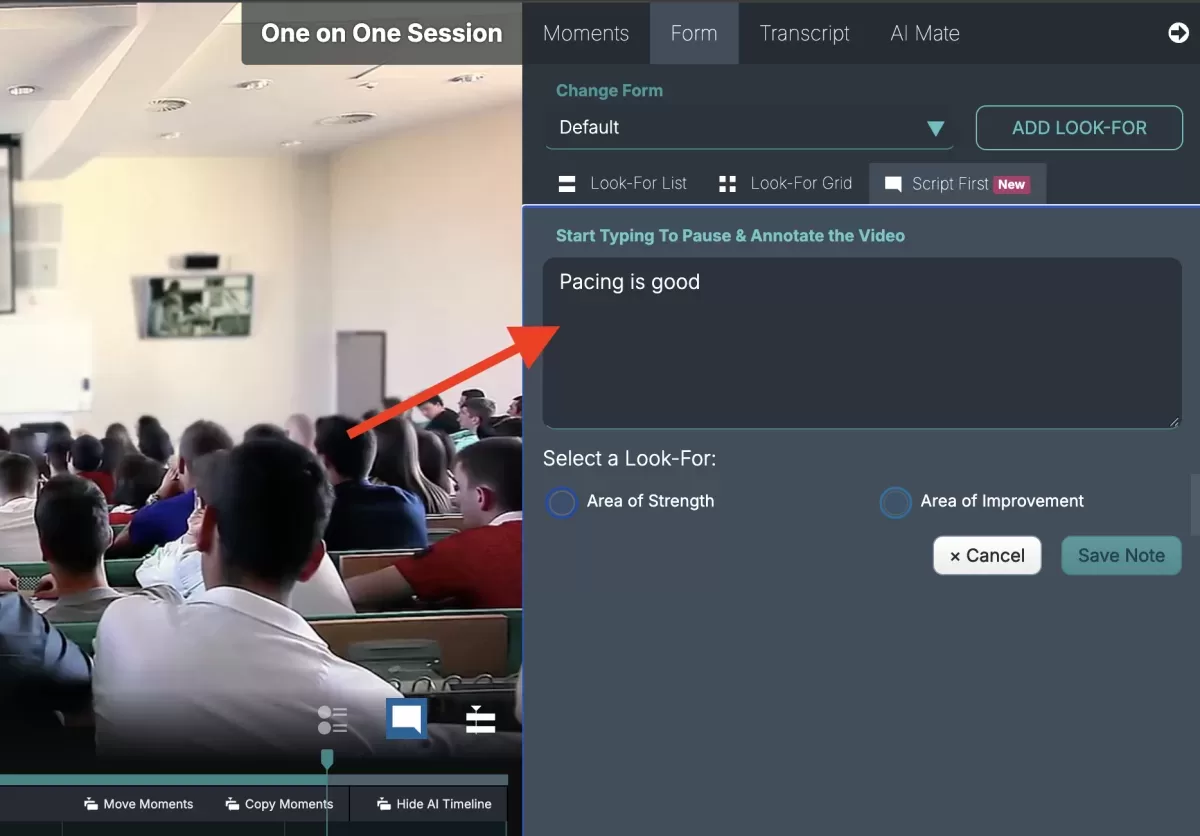
On pre-recorded videos, as soon as you start entering your comment, the video pauses allowing you to finish your thought.
During live-recording, the recording doesn't pause. Instead, as soon as you start typing a timestamp is created.
Once you've entered your comment, select the appropriate Look-For and press Save Note